

Your website may still work.
Pages load. Your contact form sends messages. Your logo is there. Customers can technically find what they need.
But something feels outdated.
Maybe the design no longer represents your business. Maybe competitors have significantly better websites. Perhaps the site is slow on mobile, difficult to update, or simply isn’t generating enough enquiries.
That leaves you with an important question:
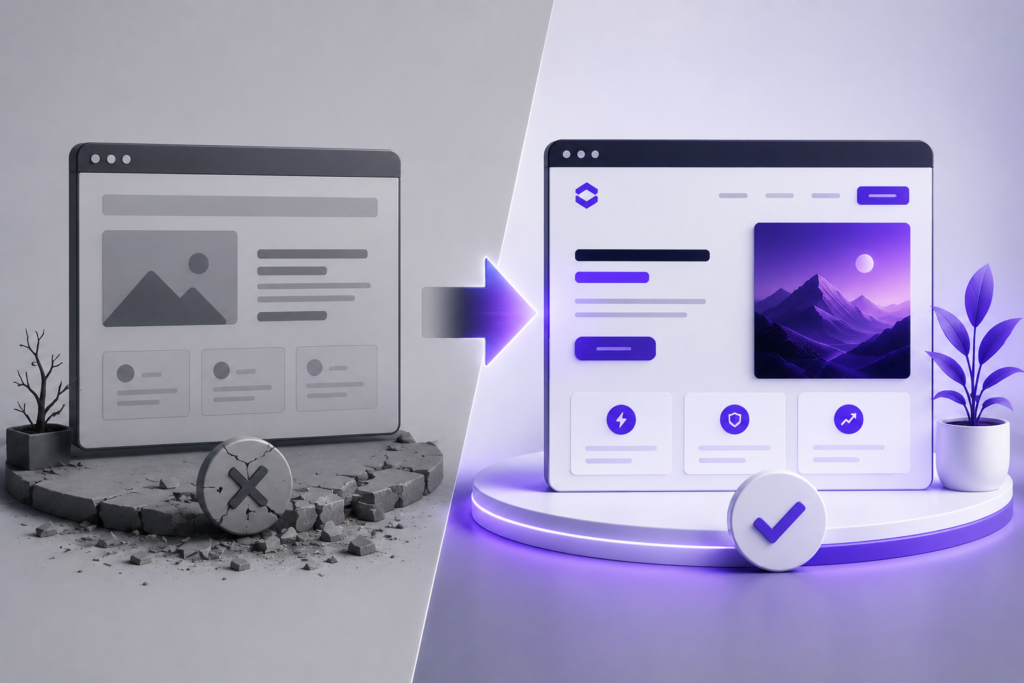
Should you redesign your existing website or build a completely new one?
The answer isn’t always obvious.
A website redesign can be faster and more cost-effective when the foundation of your current website is still strong. But if the underlying technology, structure, content, or user experience is holding your business back, rebuilding may be the better long-term investment.
In this guide, we’ll break down the difference between a website redesign and a new website, when each option makes sense, what they typically involve, and how to decide which approach is right for your business in 2027.
Website Redesign vs New Website: What’s the Difference?
The terms are sometimes used interchangeably, but they aren’t necessarily the same thing.
A website redesign improves an existing website while retaining at least part of its current foundation.
This could include:
- A new visual design
- Updated typography and colors
- Improved page layouts
- Better mobile responsiveness
- New calls to action
- Navigation improvements
- Content updates
- Conversion improvements
- Performance optimization
A new website, on the other hand, generally involves rebuilding the website from the ground up.
Instead of simply changing how the existing website looks, you’re reconsidering its structure, technology, content, user journeys and overall strategy.
Think of it like renovating a building versus constructing a new one.
If the structure is strong, renovation may make perfect sense.
If the foundation itself is causing problems, repeatedly renovating it can eventually cost more than rebuilding.
Quick Comparison: Website Redesign vs New Website
| Website Redesign | New Website |
|---|---|
| Uses parts of your existing website | Usually built from a fresh foundation |
| Often faster to complete | Usually requires more planning |
| Can cost less | Typically requires a larger investment |
| Good for visual and UX improvements | Good for major structural changes |
| May retain the existing CMS | Can introduce a completely new platform |
| Suitable when the foundation is healthy | Better when the current website has fundamental problems |
| Lower migration complexity | Requires careful content and SEO migration |
| Can dramatically modernize an existing site | Gives maximum flexibility |
Neither option is automatically better.
The right choice depends on what is actually wrong with your current website.
When Should You Redesign Your Website?
A redesign makes sense when your website has a good technical foundation but the experience around it needs improvement.
Here are some of the strongest signs.
1. Your Website Looks Outdated
Website design changes quickly.
A site that looked professional five or six years ago may now feel noticeably behind competitors.
Common signs include:
- Oversized navigation bars
- Outdated typography
- Poor spacing
- Heavy visual clutter
- Old stock photography
- Inconsistent colors
- Tiny mobile text
- Generic layouts
- Weak calls to action
This doesn’t necessarily mean you need an entirely new website.
If the website’s structure and backend still work well, redesigning the visual experience can dramatically change how customers perceive your business.
Your website should communicate:
“This business is active, professional and trustworthy.”
Not:
“Nobody has touched this website since 2018.”
2. Your Branding Has Changed
Businesses evolve.
Maybe you’ve introduced a new logo.
Maybe your colors changed.
Maybe your company originally targeted small local customers but now works with larger organizations.
Your website should evolve with that positioning.
If your website communicates an older version of your business, a redesign can bring the digital experience back in line with your current brand.
That includes more than replacing a logo.
A proper brand-led redesign may update:
- Typography
- Colors
- Photography
- Illustrations
- Icons
- Messaging
- Layout style
- Tone of voice
- Motion design
- Calls to action
The goal is consistency.
Someone should be able to move from your social media to your website to your company profile and immediately recognize the same company.
3. Your Website Works, But Doesn’t Convert
Traffic without action isn’t enough.
Suppose 2,000 people visit your website every month but almost nobody:
- Requests a quote
- Calls
- Books a consultation
- Buys something
- Joins your mailing list
- Completes your contact form
The issue may not be traffic.
It may be the website experience.
A conversion-focused redesign can address problems such as unclear messaging, weak CTAs, confusing navigation, excessive content, poor trust signals and unnecessary friction.
Sometimes the website doesn’t need rebuilding.
It simply needs a better conversion journey.
4. Your Mobile Experience Is Poor
Open your website on a phone and actually try to use it.
Don’t just look at the homepage.
Try to:
- Navigate between pages.
- Read a long section.
- Open the menu.
- Complete the contact form.
- Tap your buttons.
- Find important information.
If any of those tasks are frustrating, your mobile experience needs attention.
For many businesses, mobile isn’t a secondary version of the website anymore.
It’s the website many customers will actually experience.
A redesign can often solve these issues without rebuilding the entire system.
5. Your Website Is Difficult to Navigate
Good navigation feels almost invisible.
Users shouldn’t have to think about where information might be.
If your menu contains ten or fifteen competing options, services are buried several levels deep, or visitors regularly land on pages without knowing what to do next, your information architecture may need redesigning.
That can include:
- Simplifying navigation
- Grouping services logically
- Improving internal linking
- Creating stronger page hierarchy
- Adding contextual CTAs
- Improving mobile navigation
Small structural improvements can make a surprisingly large difference.
When Should You Build a Completely New Website?
Sometimes redesigning is treating the symptoms rather than fixing the underlying problem.
If the foundation is severely limiting the business, starting again can be the smarter decision.
1. Your Current Website Technology Is Holding You Back
One of the clearest reasons to rebuild is technical limitation.
Perhaps your website relies on an old theme, abandoned plugins, outdated custom code or a platform that no longer supports what your business needs.
You may constantly hear:
“We can’t really do that without breaking something.”
That’s a warning sign.
Your website should support business growth rather than make every new feature difficult.
A rebuild allows you to reconsider the entire technical foundation.
2. Your Website Has Become Slow and Bloated
Websites often accumulate technical debt.
Over several years, different developers may add:
- Plugins
- Scripts
- Tracking systems
- Page builders
- Popups
- Fonts
- Animation libraries
- Marketing integrations
- Custom CSS
- Third-party widgets
Eventually, nobody knows what can safely be removed.
The result can be a website carrying years of unnecessary baggage.
Optimization can help, but there comes a point where cleaning the existing system becomes less efficient than rebuilding it properly.
3. The Website Structure No Longer Matches Your Business
Imagine you launched with three services.
Five years later, you have twelve services, several locations, a blog, case studies, multiple customer types and an entirely different sales process.
The original website architecture wasn’t designed for that.
You can keep adding pages, but eventually the structure becomes confusing.
That’s when rebuilding becomes attractive.
Instead of asking:
“Where can we fit this new page?”
you can ask:
“What website structure makes the most sense for our customers today?”
That’s a much better question.
4. You’re Moving to a Different CMS or Platform
Moving from one platform to another is usually closer to a rebuild than a redesign.
For example, a business may decide it wants a WordPress website because it needs greater flexibility over:
- Content management
- Landing pages
- Blogging
- SEO
- Integrations
- Design
- Custom functionality
Likewise, an online store may need a platform better suited to its current product catalog and operations.
When the platform changes, rebuilding gives you the opportunity to rethink the entire website instead of reproducing old limitations on new technology.
5. Your Website Has Serious Technical or Security Problems
Recurring technical problems deserve attention.
Examples include:
- Broken functionality
- Unsupported plugins
- Outdated software
- Database problems
- Frequent errors
- Malware infections
- Unstable hosting configurations
- Broken responsive layouts
Some problems can be repaired.
But if you’re continuously paying developers to patch a fragile website, the economics eventually stop making sense.
A clean rebuild can sometimes be cheaper over the long term.
Redesigning Isn’t Just About Making a Website Prettier
This is one of the biggest misconceptions about website redesign.
A redesign shouldn’t simply mean:
“Make everything look more modern.”
Visual design matters, but effective redesign goes deeper.
A strong redesign should consider four areas.
Brand
Does the website accurately represent the quality and personality of your company?
User Experience
Can visitors quickly understand where they are, what you offer and what they should do next?
Conversion
Does the website intentionally guide visitors toward enquiries, purchases, bookings or another business objective?
Technology
Is the website fast, maintainable, responsive and easy to manage?
A beautiful website that fails the other three categories is still a weak website.
What Happens During a Professional Website Redesign?
A proper redesign shouldn’t begin inside a page builder.
It should begin with understanding the existing website.
A typical process may look something like this.
Step 1: Website Audit
Before changing anything, determine what’s working.
That may involve reviewing:
- Existing pages
- Traffic
- Search visibility
- Conversion paths
- Mobile usability
- Performance
- Navigation
- Content
- Technical problems
You don’t want to accidentally remove something valuable simply because it looked old.
Step 2: Strategy
Next comes the bigger question:
What does the new website actually need to accomplish?
That may mean generating leads, selling products, explaining complex services, improving credibility, supporting paid advertising or helping customers find information.
The objective influences almost every design decision afterward.
Step 3: Information Architecture
Now determine how the website should be organized.
Pages may be removed, combined, renamed or added.
Navigation is simplified.
Important services receive stronger visibility.
Internal linking is planned.
This is particularly important for businesses using content marketing and SEO.
Step 4: Wireframing
Before obsessing over colors and animations, determine how each page should work.
Where does the headline go?
What does the visitor see next?
Where is the social proof?
When should the CTA appear?
How should services be presented?
Wireframes solve structural problems before visual design begins.
Step 5: Visual Design
Now the website starts developing its personality.
Typography, colors, spacing, photography, graphics, cards, icons, illustrations and interface components are combined into a cohesive visual system.
This is also where modern websites can incorporate carefully designed motion.
Animations should help communicate hierarchy and interaction — not simply make everything move.
Step 6: Development
The approved design becomes a functional website.
Development includes areas such as:
- Responsive layouts
- Navigation
- Forms
- CMS configuration
- Animations
- Integrations
- Interactive elements
- Performance optimization
Every major screen size should be tested.
Step 7: Content Migration
Existing content worth keeping is moved into the new experience.
This stage needs particular care when the website already receives organic traffic.
Important URLs shouldn’t disappear without a plan.
Step 8: Testing and Launch
Before launch, the website should be tested across devices and browsers.
Forms should work.
Buttons should go somewhere.
Images should load properly.
Mobile layouts should behave correctly.
Analytics should be connected.
Then the website can go live.
What About SEO During a Website Redesign?
This deserves special attention.
A redesign can improve SEO.
It can also seriously damage SEO when handled carelessly.
If your existing website already ranks in Google, those pages and URLs have value.
Changing everything without considering search performance can cause rankings and traffic to decline.
During a redesign or rebuild, pay attention to:
- Existing ranking pages
- URL changes
- 301 redirects
- Page titles
- Meta descriptions
- Internal links
- Heading structure
- Image alt text
- Canonical URLs
- XML sitemap
- Robots directives
- Structured data
- Page performance
One particularly important rule:
Don’t delete an old URL that has traffic or backlinks without deciding what should happen to it.
If a URL changes, an appropriate 301 redirect may be necessary.
SEO migration should therefore be part of the redesign plan — not something remembered after launch.
Website Redesign vs New Website: Which Costs More?
Generally, a complete rebuild costs more than a visual redesign.
But that’s not always the full story.
Imagine Website A has a strong WordPress foundation and needs:
- New design
- Better navigation
- Updated content
- Improved mobile layouts
Redesigning may be very efficient.
Now imagine Website B has:
- An outdated theme
- 45 unnecessary plugins
- Poor page structure
- Custom code nobody understands
- Performance problems
- Broken mobile layouts
Trying to preserve that foundation could actually increase development time.
So the cheapest-looking option isn’t always the cheapest long-term option.
If website pricing is one of your main concerns, we’ve also created a detailed guide on how much a website costs for a small business in 2027, covering the major factors that influence website budgets.
How Long Does a Website Redesign Take?
There isn’t one universal timeline.
A small brochure website is very different from a large corporate website or eCommerce store.
Timeline depends on factors such as:
- Number of pages
- Custom functionality
- Content readiness
- Design complexity
- Animations
- Integrations
- eCommerce requirements
- Approval process
- Content migration
A relatively straightforward redesign might take several weeks, while a larger custom project can take considerably longer.
Be cautious when evaluating timelines based purely on speed.
The goal isn’t to have a website quickly.
The goal is to have the right website as efficiently as possible.
Should You Keep Your Existing Website Content?
Usually, you shouldn’t automatically keep everything.
A redesign is a good opportunity to perform a content audit.
Separate pages into four groups:
Keep — valuable content that still serves customers.
Improve — useful pages that need better writing, structure or SEO.
Merge — multiple weak pages covering essentially the same subject.
Remove — content with no meaningful purpose, provided removing it won’t create SEO or usability problems.
This prevents the new website from inheriting years of unnecessary content.
Should You Redesign Your Website Yourself?
For some businesses, yes.
If you’re building a very simple website, have design experience and enjoy working with website technology, DIY tools can be perfectly reasonable.
The difficulty increases when the website becomes an important sales asset.
A professional website project involves several disciplines:
- Strategy
- Copywriting
- UX
- UI design
- Development
- Responsive design
- SEO
- Analytics
- Performance
- Conversion optimization
The question therefore isn’t simply:
“Can I build this myself?”
It’s:
“Is building this myself the best use of my time, and will the result support the business properly?”
For a hobby project, the answer may be yes.
For a website responsible for generating serious business, professional support can make considerably more sense.
7 Signs You Probably Need a Redesign
If you’re still uncertain, look at your existing website objectively.
A redesign should be seriously considered when:
- You’re embarrassed to send customers your website.
- The design no longer represents your brand.
- Mobile visitors have a poor experience.
- Traffic isn’t turning into enquiries or sales.
- Customers struggle to find important information.
- Competitors appear significantly more professional online.
- Making simple website updates has become unnecessarily difficult.
One of these alone doesn’t automatically justify rebuilding.
Several appearing together usually indicate that something needs to change.
5 Signs You Should Consider a Complete Rebuild
A new website becomes the stronger option when:
- Your existing technology significantly limits what you can do.
- The site has accumulated serious performance or maintenance problems.
- Your business model has changed substantially.
- The website architecture no longer makes sense.
- Fixing the existing system would require nearly as much work as rebuilding it.
At that point, protecting the old website simply because it already exists may not be economically sensible.
Website Redesign Decision Checklist
Use this simple framework.
| Question | If Yes |
|---|---|
| Is the underlying website technically healthy? | Redesign may be enough |
| Does the website mainly look outdated? | Consider redesign |
| Is branding the primary problem? | Consider redesign |
| Does the site need better UX/conversions? | Redesign may work |
| Is the technology outdated or restrictive? | Consider rebuilding |
| Is the website structurally confusing? | Rebuild may be better |
| Are there major performance problems throughout the site? | Investigate rebuilding |
| Has the business fundamentally changed? | Rebuild may be better |
| Are you changing platforms? | Usually treat it as a rebuild |
| Would repairing the existing site require extensive work? | Compare rebuild cost |
The most important thing is to diagnose the problem before choosing the solution.
What Should a Business Website Look Like in 2027?
Trends will continue changing, but strong business websites tend to share the same fundamentals.
They are:
Clear.
Visitors quickly understand what the company does.
Fast.
Pages don’t make customers wait unnecessarily.
Responsive.
The experience works properly across phones, tablets and desktops.
Focused.
Every page has a reason to exist.
Credible.
Real work, testimonials, company information and professional presentation build trust.
Easy to navigate.
Customers don’t have to hunt for basic information.
Conversion-oriented.
There is a clear next step.
Maintainable.
The website can evolve as the business changes.
And increasingly, the strongest websites combine these fundamentals with thoughtful interactive experiences, animation and visual storytelling.
The key word is thoughtful.
More animation doesn’t automatically create a better website.
Better communication does.
Frequently Asked Questions
Is It Better to Redesign a Website or Build a New One?
If your current website has a strong technical foundation and mainly needs visual, usability or conversion improvements, redesigning can be the better choice.
If the technology, architecture or functionality is fundamentally limiting the business, rebuilding may make more sense.
How Often Should a Business Redesign Its Website?
There is no fixed rule requiring businesses to redesign every few years.
Instead, monitor whether the website still represents your brand, works properly on modern devices, performs well and supports your current business goals.
A website should be redesigned when there is a business reason, not simply because a certain number of years have passed.
Can I Redesign My Website Without Losing SEO?
Yes, but SEO needs to be considered throughout the project.
Existing URLs, rankings, internal links, content, redirects, metadata and technical SEO should be reviewed before major changes are launched.
Poorly planned migrations can negatively affect organic traffic.
Can I Redesign a WordPress Website Without Starting Again?
Absolutely.
WordPress itself doesn’t necessarily need replacing because a website looks outdated.
Depending on the existing setup, the theme, templates, page layouts, styles and functionality can often be redesigned while keeping WordPress as the CMS.
Does a Website Redesign Improve Conversions?
It can.
A redesign that improves messaging, navigation, mobile usability, trust and calls to action can create a much better conversion experience.
However, changing colors and graphics alone doesn’t guarantee more leads or sales.
Should I Redesign My Website Before Running Paid Ads?
If your website or landing page provides a poor conversion experience, improving it before significantly increasing advertising spend can make sense.
Paid advertising can bring more visitors, but it can’t compensate for a confusing offer or weak landing experience.
Redesign or Rebuild? Start With the Problem
The choice between a website redesign and a new website becomes much easier once you stop asking:
“Which option is better?”
and start asking:
“What is preventing our current website from doing its job?”
If the foundation is good, improve it.
If the foundation is the problem, rebuilding may be the better investment.
Either way, your website shouldn’t exist simply because every company is expected to have one.
It should actively support the business.
It should explain your value.
Build trust.
Guide customers.
Generate opportunities.
And give people confidence that they’re dealing with the right company.
At DodoFlow, we design and develop business websites around those goals — combining strategy, modern design, responsive development, performance and ongoing website maintenance.
If your current website feels outdated, underperforms, or you’re unsure whether you need a redesign or complete rebuild, the first step is understanding what’s actually holding it back.
Get a free quote and let’s figure out the right direction for your website.